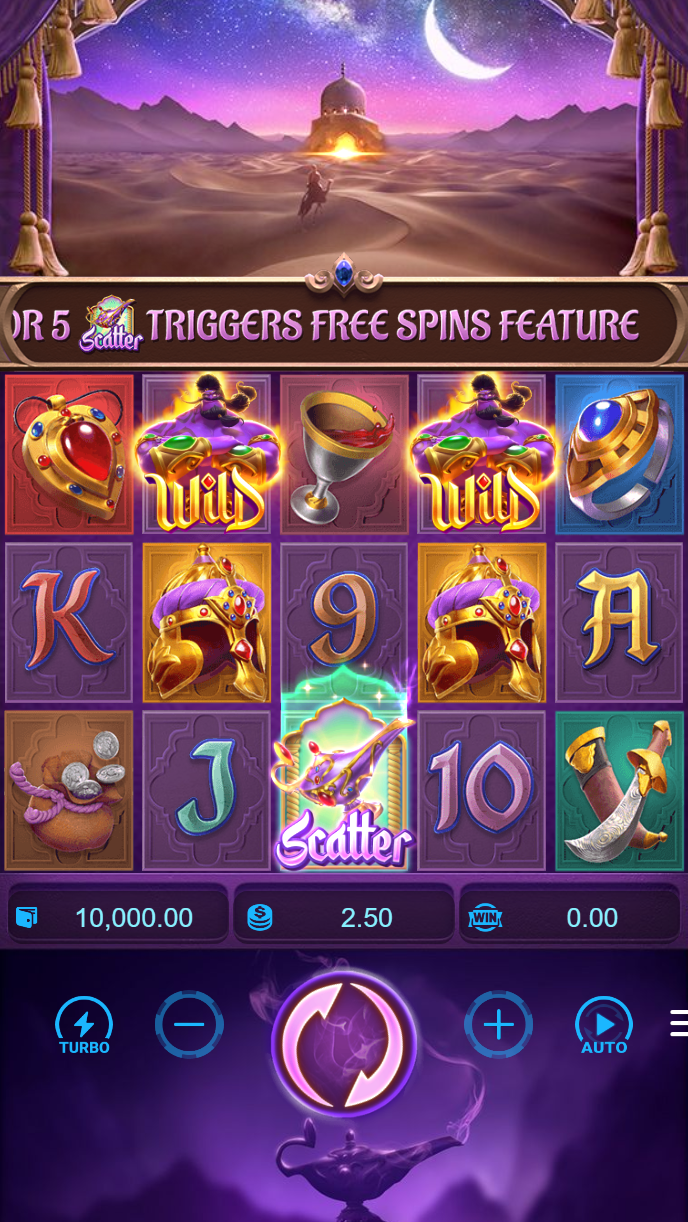
Accessing Game Demos on lentogel
Game demos are available to all visitors on lentogel, whether you have an account or not. You do not need to log in or deposit to explore our game library. On mobile, open lentogel.bet in your browser or launch the lentogel Android app, then navigate to the "Games" or "Demo" section.

Select any game—Aviator, Sweet Bonanza, Gates of Olympus, Fortune Tiger, Mahjong Ways, or any live-dealer title—and tap "Play Demo." The game loads with a virtual balance (typically a set amount of demo credits). You can spin slots, place bets on live tables, or explore esports markets using these credits. Your demo session is independent; other players' demo sessions do not affect yours.
Demo play uses minimal data—similar to live play—so you can test games on standard mobile data or WiFi. If your connection drops, your demo session pauses and resumes when you reconnect. Demo credits are not saved between sessions; when you close the game or log out, your demo balance resets to the starting amount on your next visit.
What You Learn from Game Demos
Game demos serve a specific purpose on lentogel: they let you understand how each game works before you commit real money. Here is what you can learn:
- Slot mechanics: Spin reels, see how paylines work, understand symbol combinations and bonus features. Demo play shows you the exact payout table and how often different outcomes occur.
- Live-dealer interaction: Watch dealers in real time, place bets on blackjack, roulette, baccarat, or Dragon Tiger, and see how live rounds unfold. You experience the same video stream and dealer chat as real-money players.
- Esports markets: Explore betting options on Mobile Legends, Free Fire, and PUBG Mobile tournaments. See how odds are displayed and how bets are settled.
- User interface: Navigate menus, adjust settings, and familiarize yourself with lentogel's mobile layout before you deposit.
- Game speed: Understand how fast rounds move. Slots spin in seconds; live-dealer rounds take a few minutes; esports matches unfold over hours.
Demo Limitations and Boundaries
Game demos on lentogel have clear boundaries. Understanding these helps you transition smoothly to real-money play:



Demo credits do not carry over: Each time you start a new demo session, you receive a fresh balance. Winnings from your last demo session are not saved. This prevents confusion between demo and real-money balances.
No withdrawal from demo: Demo credits are virtual and cannot be converted to real money. If you want to cash out winnings, you must play with real funds in your lentogel account.
Account required for live play: To switch from demo to real-money gaming, you must create a lentogel account, verify your identity through KYC, and deposit funds. Demo play does not create an account automatically.
Same odds, different context: Demo games use the same random-number generator as live games, so outcomes are realistic. However, a winning streak in demo mode does not predict future results in live mode. Each session is independent.
Moving from Demo to Real-Money Play
When you are ready to play with real money on lentogel, follow these steps:
- Create an account: Visit lentogel.bet or open the Android app, tap "Register," and enter your email, phone number, and password. Verify your email by clicking the link we send you.
- Complete KYC verification: Log in, go to "Account Settings" → "Verification," and upload a photo of your ID and a selfie. Our team reviews these within a few hours. Once approved, you can deposit and withdraw.
- Make your first deposit: Tap "Deposit," select your payment method (DANA, e-wallet, mobile banking, local payment, online payment, or e-wallet), enter your amount, and complete the payment. Your balance updates instantly on lentogel.
- Switch to live mode: Navigate to any game and tap "Play" instead of "Play Demo." Your real account balance is now at stake. Winnings and losses are credited or deducted from your account.
- Manage your account: Enable two-factor authentication for security, set your withdrawal preferences, and review your transaction history regularly.
Demo play on lentogel is risk-free practice. Real-money play requires account verification and deposits. The transition is straightforward, but take time to understand the rules before you commit funds.
Account Security After Demo Play
Once you create a real account on lentogel, your data is protected by standard encryption and verified through KYC checks. Here is what happens:
KYC verification: We collect your name, date of birth, and ID information to verify your identity and comply with local regulations. This information is stored securely and not shared with third parties outside our payment processors.
Password security: Use a strong password with uppercase, lowercase, numbers, and symbols. Do not share your password with anyone. If you forget it, tap "Forgot Password" on the login screen, and we send a reset link to your email.
Two-factor authentication: Enable 2FA in your account settings. This adds a verification step when you log in from a new device, protecting your balance and withdrawal requests.
Deposit and withdrawal tracking: All transactions on lentogel are logged and visible in your account history. Review these regularly to catch any unauthorized activity. If you notice suspicious transactions, contact our support team immediately via live chat or email.
Our services are available only where local law permits. Users are responsible for verifying that access and use comply with their own jurisdiction's law. If you have questions about your region's regulations, contact our support team.